Skip to content
Ecommerce Web Design: Build a Store That Turns Browsing into Buying
-
3070 words · 15 min read
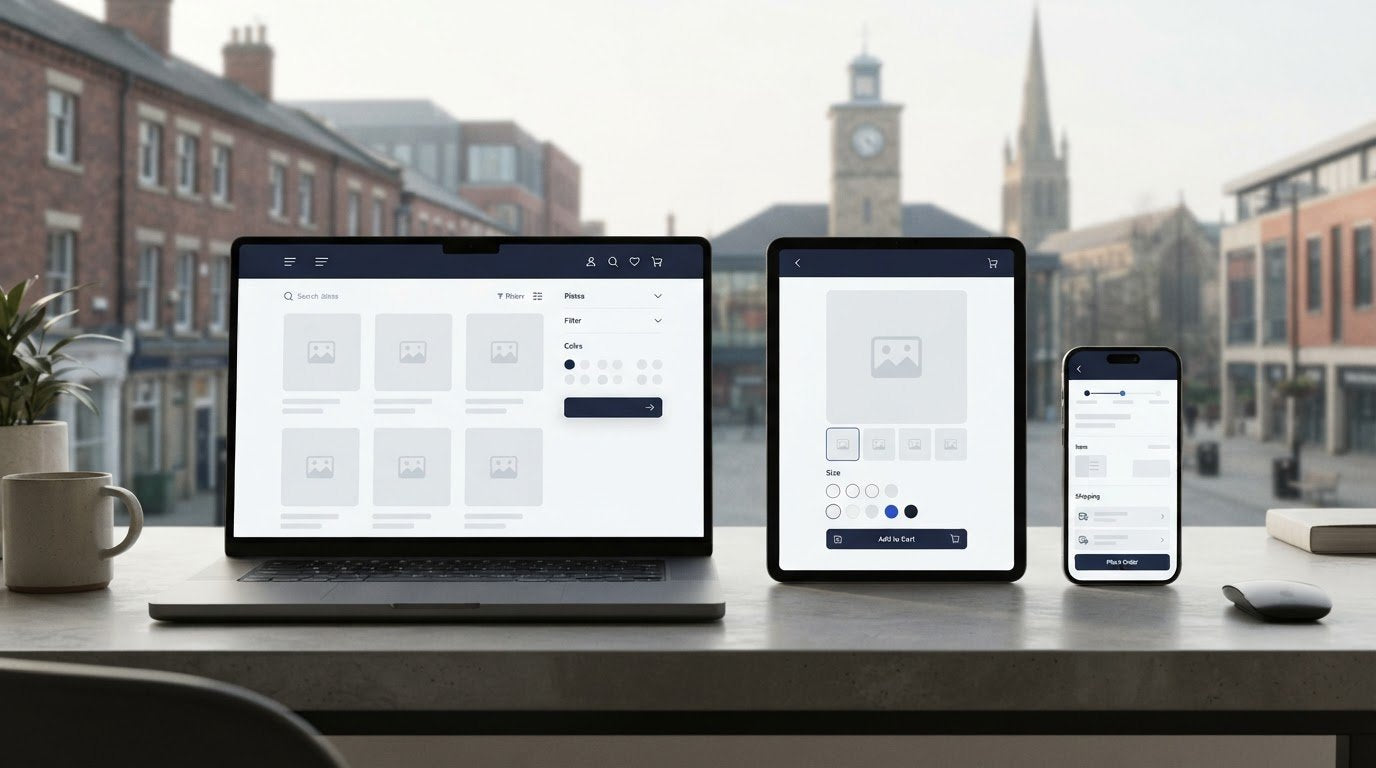
Could a beautiful online shop still make it harder to buy? It can if customers can’t find the right product, understand their options or complete a purchase without friction. Effective ecommerce web design is about more than appearance: it connects product discovery, confident decisions and checkout in a clear customer journey.
It’s understandable to feel unsure which design choices will make a practical difference. A distinctive brand matters, but it needs to work alongside clear navigation, mobile usability and the day-to-day needs of your retail operation. When these elements aren’t considered together, shoppers may struggle to find products, compare options or get answers before buying.
This guide explains how to plan an ecommerce website around what customers need at each step. You’ll learn how to make products easier to find and compare, prioritise pages and features, and balance your brand with mobile and operational requirements. We’ll also look at how to turn a design brief into a suitable build, including where Shopify store design and development can support your plans.
Key Takeaways
- Plan ecommerce web design around the full shopping journey, from finding a product to completing checkout.
- Make navigation, product details and trust-building information easy to use across mobile and desktop.
- Balance brand expression with simple shopping and the practical needs of your retail operations.
- Turn business goals and customer needs into a brief that separates essential pages and features from those that can wait.
- See how Shopify design, development, migration and POS integration can support a joined-up retail experience.
Ecommerce Web Design Starts with the Customer Journey
Electronic commerce (ecommerce) covers buying and selling through digital channels. For a retailer, ecommerce web design is the planning and creation of an online shopping experience that’s usable, reflects the brand and helps customers move from browsing to buying.
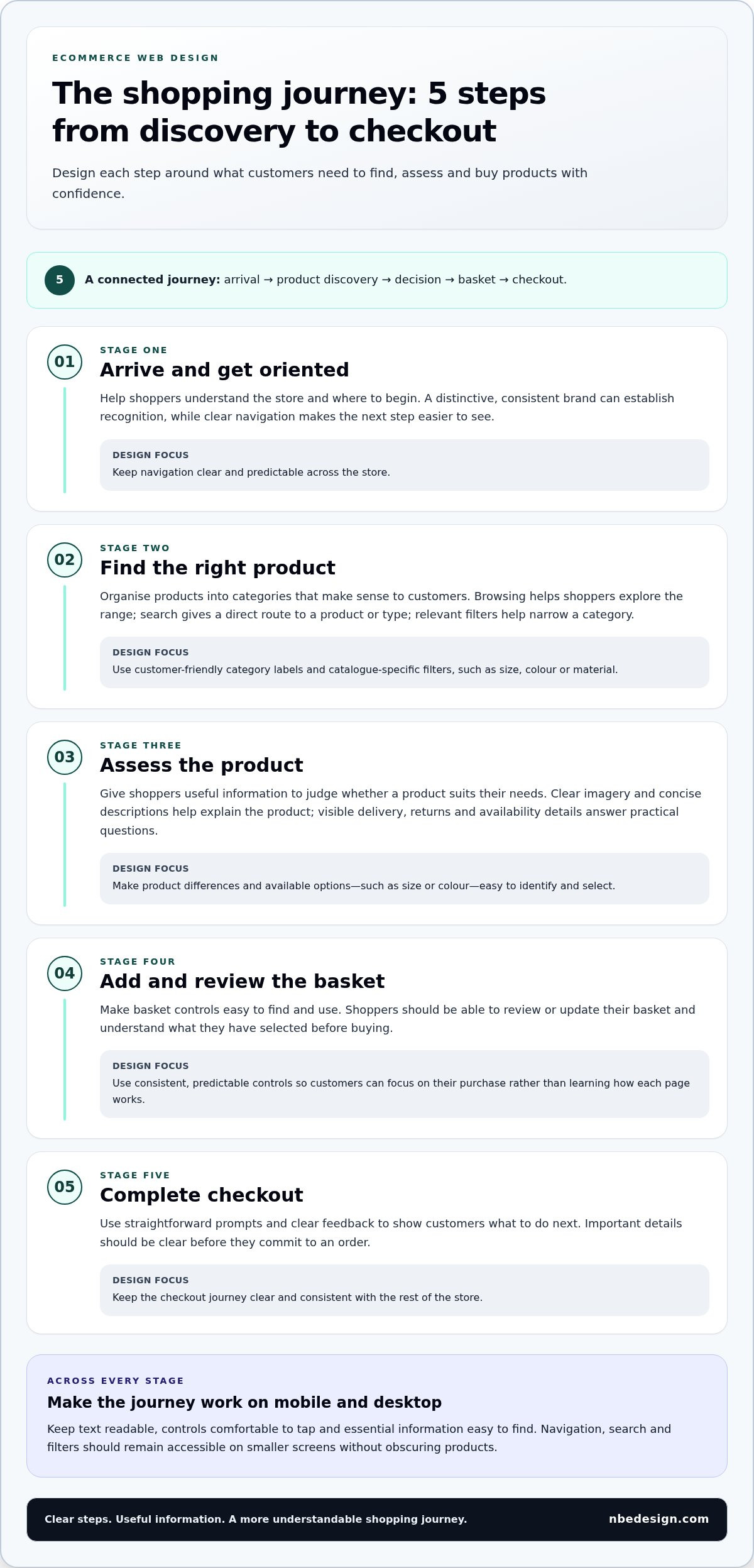
Think of the store as a connected journey: a shopper arrives, finds a product, decides whether it suits their needs, adds it to the basket and checks out. Each step should provide the information and controls they need to continue. A striking visual design can help establish trust, but it can’t compensate for confusing navigation, missing product details or controls that are difficult to use.
Visual design shapes how a store looks; the ecommerce experience shapes how easily customers can find, assess and buy its products.
What should an ecommerce website help customers do?
First, help shoppers understand the range. Clear navigation groups products in ways that make sense to customers, while useful category pages and search help them narrow their options. For example, someone looking for a particular product type should be able to reach the relevant category without guessing which menu to open.
Next, help them make an informed choice. Product pages should bring together clear descriptions, useful imagery and relevant details such as available options and delivery information. A shopper comparing two products needs to see what distinguishes them and what to expect after ordering.
Use consistent patterns across pages, too. If product options, basket controls and navigation behave predictably, customers can focus on their purchase rather than learning how each page works. Brand identity still matters: consistent colours, typography and graphic elements can make the experience recognisable. Retailers considering how these elements work together can explore business graphic design.
How does ecommerce design differ from a brochure website?
A brochure website mainly presents information about an organisation and its services. An online shop must communicate the brand while also supporting browsing, product evaluation, basket management and checkout. Its design needs to help customers complete each task, including reviewing or updating their basket before buying.
The catalogue and the way the retailer operates should inform the design from the outset. The number and variety of products, how they’re grouped, how availability is shown and how orders connect with retail operations all affect what customers need to see and do. A retailer with a physical shop may also need the online experience to fit alongside in-store processes.
There’s no single layout or visual style that suits every business. Start with the products, customers and operational needs, then shape a store that makes the next step clear.
Ecommerce Website Design Principles That Make Shopping Clearer
Good ecommerce web design makes it easy to understand what’s available, choose confidently and see what to do next. Each design decision should support a practical part of shopping, not simply add visual polish. Keep the experience consistent across mobile and desktop so customers can follow the same clear journey on either device.
How should navigation, search and product filters work together?
Build category labels around the products you sell and the words customers are likely to use. A clear catalogue structure helps shoppers browse, while search gives them a direct route when they already have a product or type in mind. Filters complement both by helping customers narrow a category using relevant attributes, such as size, colour or material.
Keep filter choices specific to the catalogue. A filter that doesn’t help customers distinguish between products adds clutter rather than clarity. On smaller screens, make navigation, search and filters easy to find and use without obscuring the products.
What makes a product page easier to shop?
Give shoppers enough information to judge whether a product suits their needs. Use clear imagery alongside a concise description, and make available options, such as size or colour, easy to identify and select. Place relevant delivery, returns and availability details where customers can see them while considering the product, rather than making them search elsewhere.
Carry the brand through the page with consistent typography, colour and graphic elements, while keeping product information legible. Business graphic design can help retailers create a recognisable identity that works across their customer-facing materials.
How do trust and checkout fit into the journey?
Trust depends on clear, consistent information as much as appearance. Make the next action obvious, explain what customers are selecting and show important details before they commit to an order. At checkout, use straightforward prompts and clear feedback so shoppers can review their basket and understand what to do next. Forbes also outlines useful ecommerce design best practices, including how imagery and trust elements contribute to a shop’s overall experience.
Mobile usability matters throughout, from finding a category to entering checkout details. Check that text is readable, controls are comfortable to tap and essential information is easy to find. If you’re shaping a store around these principles, you can discuss your ecommerce design project with the team.
Clear navigation, relevant product discovery, useful product details, visible trust information and straightforward checkout are the core principles of a shop that’s easier to use.
How to Balance Brand, Usability and Retail Needs in Ecommerce Design
Strong ecommerce web design brings together three priorities: a store should feel like your brand, make shopping straightforward and support the way your retail business works. It’s not just a choice of colours, fonts and imagery. Product range, fulfilment arrangements and physical retail can all affect which pages, details and tools matter most.
Design priority
What to consider
Design question
Brand expression
Typography, colour, imagery and consistent page components.
Does the store feel recognisable without making product information harder to read?
Ease of shopping
Navigation, product comparisons, options and clear next steps.
Can customers find and assess products without unnecessary effort?
Operational fit
Catalogue structure, stock visibility, fulfilment and in-store processes.
Can the store reflect how products are managed and sold?
How can a retailer make a store feel distinctive and easy to use?
A distinctive shop doesn’t need to make familiar tasks feel unfamiliar. Apply your brand through typography, colour, imagery and recurring page components, while keeping common shopping patterns easy to recognise. Customers should still be able to locate categories, understand product choices and find key information. Nielsen Norman Group’s guidance on how to design effective product pages can help inform decisions about presenting product information.
Priorities will vary. A broad catalogue may need clear categories and useful filters, while a smaller range may benefit from more space to explain product differences. Design choices should serve the products and customers, rather than follow a visual trend for its own sake.
When should online and physical retail be considered together?
Bring both channels into the same planning conversation if you sell online and in a physical shop. Customers may expect consistent product information and visibility of availability, while staff need retail processes that fit the way stock and sales are managed. Consider how records and day-to-day workflows connect, rather than treating the website as separate from the shop floor.
For retailers combining online and in-store sales, Shopify POS can be part of the wider setup. NB eCommerce & Design integrates Shopify POS to bring inventory management, customer profiles and sales data together across channels. Plan the website and POS around your products, stock processes and customer journey so the online store fits with how you sell in person.
There’s no single visual style, platform or feature set that suits every retailer. The right priorities depend on your customers, catalogue and operations. If you’re weighing these needs for a Shopify store, talk through your ecommerce project with the team.
How to Turn Ecommerce Design Ideas into a Practical Project Brief
A useful ecommerce design brief turns ideas into decisions that can guide design and development. It should explain what the store needs to achieve, who it serves and how it fits the retailer’s operations. This keeps the project focused on customer and business priorities instead of visual preferences or features without a clear purpose.
What belongs in an ecommerce website design brief?
Start with the information that will shape the store. Include your target customers, product range, brand assets and the questions shoppers commonly ask. Note the platform you plan to use, how the catalogue is organised and what product options it includes. Also list any existing content or systems the store needs to work with.
Then document requirements for the customer journey and retail operation. Which pages are essential? What should customers be able to do on product pages, in the basket and at checkout? If you also sell in a physical shop, describe relevant stock, fulfilment or online-to-store needs. Set out who will provide product details and other content, who will review designs, and how feedback and approvals will be handled.
How should ecommerce design priorities be sequenced?
Use a simple process to turn that information into a manageable project plan:
- 1. Define the goals. Describe what the store needs to support, such as making a product range available online or bringing an existing retail operation into a new setup.
- 2. Identify customer needs. Record who the store is for, what they need to know and which tasks should be straightforward.
- 3. Map the catalogue and operations. Outline categories, product options, availability, fulfilment arrangements and any links to physical retail.
- 4. Set page priorities. Begin with the pages and journeys customers rely on, including navigation, product information, basket and checkout. Specify the content and actions required on each.
- 5. Separate essential from optional. Mark requirements that are necessary for launch, then list extra features that could be considered later. This keeps the first build focused on the core customer journey.
- 6. Plan reviews and launch preparation. Assign responsibility for content, design feedback and decisions, then identify what must be ready before the store launches.
This sequence helps retailers assess design ideas against real requirements. A feature may look appealing, but if it doesn’t help customers, support the catalogue or fit the operation, it may be better left for a later stage. A clear ecommerce web design brief also gives the build team a shared reference as the project progresses.
Ready to turn your priorities into a practical plan? Discuss your ecommerce design project with the NB eCommerce & Design team.
How NB eCommerce & Design Builds Shopify Ecommerce Websites
A successful Shopify store needs to work for customers and for the retailer behind it. NB eCommerce & Design is a certified Shopify Partner and Expert based in North East England. The company supports retailers locally and worldwide with Shopify store design and development, migration to Shopify, Shopify POS integration, and ongoing support and consulting.
How does Shopify-focused design support a retailer’s project?
Each project starts with the retailer’s needs: the product catalogue, the customers the store serves and the tasks shoppers should be able to complete. These details help shape page priorities and the customer journey. Operational requirements, such as stock management, fulfilment and in-store sales, inform how the store needs to work behind the scenes. Design and development bring these needs together in a considered Shopify build.
If a retailer is moving from another platform, NB eCommerce & Design manages the migration to Shopify, from data transfer to launch. Planning the move means considering the existing catalogue, content and business processes alongside the new store’s design. This gives the project a clear direction while accounting for the retailer’s requirements at each stage.
For retailers selling both online and in person, Shopify POS integration connects the online store with physical retail operations. Considering both channels together helps ensure decisions about the website make sense alongside the way products and sales are handled in store.
What is the next step for a new store or redesign?
A clear starting point makes it easier to discuss what your project needs. Before getting in touch, outline:
- Your current setup: the platform you use now, or whether you’re starting from scratch.
- Your retail operation: the products you sell, how you fulfil orders and whether you also sell in a physical shop.
- Your design priorities: the customer tasks, pages and features that matter most for launch.
These details help connect ecommerce web design decisions to practical requirements, whether you’re planning a new Shopify store, a redesign or a platform transition. NB eCommerce & Design is based in North East England and works with retailers worldwide, offering guidance through design, development and platform changes.
Ready to talk through your plans? Talk to the Shopify design team about your ecommerce website.
Build a Store Around the Way Your Customers Shop
Effective ecommerce web design brings the customer journey, brand identity and retail operations together. Clear navigation and useful product information help shoppers make informed choices, while a focused project brief keeps essential pages and features ahead of optional extras.
Start with what your customers need to do, then shape the store around your catalogue, fulfilment arrangements and any physical retail requirements. A considered Shopify build can support that plan, whether you’re creating a new store, redesigning an existing one or moving platforms.
NB eCommerce & Design is a certified Shopify Partner and Expert based in North East England, working with retailers locally and worldwide. If you’re ready to turn your priorities into a practical project, discuss your ecommerce website project with the team. With a clear starting point and the right support, you can build a shopping experience that feels true to your brand and works for your business.
Frequently Asked Questions
What makes good ecommerce web design?
Good ecommerce web design helps customers find products, understand their choices and complete a purchase with confidence. Clear navigation, useful product descriptions and imagery, visible delivery information and a straightforward checkout all support that journey. The store should also reflect the retailer’s brand and account for practical needs, such as catalogue structure and fulfilment. The right balance depends on the products, customers and operations the website needs to serve.
How much does ecommerce web design cost?
The cost of ecommerce web design depends on the project’s scope and requirements, so there isn’t one price that suits every retailer. A new store, a redesign and a migration can involve different work. The catalogue, page requirements, content, integrations and operational needs can all shape the project. Define which features are essential for launch and which can wait, then use that brief to establish the project scope and pricing.
How long does it take to design an ecommerce website?
There’s no single timeline for designing and building an ecommerce website. The work involved depends on the store’s requirements, including the catalogue, page designs, content, integrations and whether an existing platform needs to be migrated. Preparation matters too: having product information and brand assets ready can help the project move through design and development. Agree priorities, responsibilities and review stages early so the work has a clear plan.
What pages does an ecommerce website need?
Most online shops need a homepage, category or collection pages, product pages, a basket and checkout. Customers may also need clear information about delivery, returns, contact details and the retailer’s business. The exact page set depends on the catalogue and what shoppers need to know before buying. Prioritise pages that support product discovery, evaluation and purchase, then add other content that answers customer questions or supports the way the business operates.
How do I make an ecommerce website easier to use on mobile?
Make mobile usability part of every stage of the shopping journey, not a separate visual adjustment. Use readable text, simple navigation and controls that are comfortable to tap. Keep product options and key details easy to find, and make it clear how to add an item to the basket or continue to checkout. Review pages on smaller screens to spot crowded layouts, hard-to-use menus or information customers must work too hard to access.
Is Shopify suitable for ecommerce web design?
Shopify can be a suitable platform for retailers planning a new online store or developing an existing one, depending on their requirements. Consider your catalogue, customer journey, operational needs and any connection to physical retail before deciding how the store should be built. NB eCommerce & Design specialises in Shopify store design and development, as well as migrations to Shopify, helping retailers plan a store around their business needs.
Can an ecommerce website connect online and in-store sales?
Yes. Retailers can connect online and in-store operations using Shopify POS integration. This brings together inventory management, customer profiles and sales data across channels, supporting a more connected retail setup. Planning the website alongside the physical shop helps ensure product information, stock processes and customer records are considered together. The right approach depends on how the retailer manages products and sales across its online store and shop floor.

- Posted in:
- conversion optimisation
- ecommerce web design
- mobile commerce
- online retail
- Shopify
- store design
- UX design
- website planning