Skip to content
How to Choose the Best POS for a Retail Store: The 2026 UK Guide
-
3079 words · 15 min read
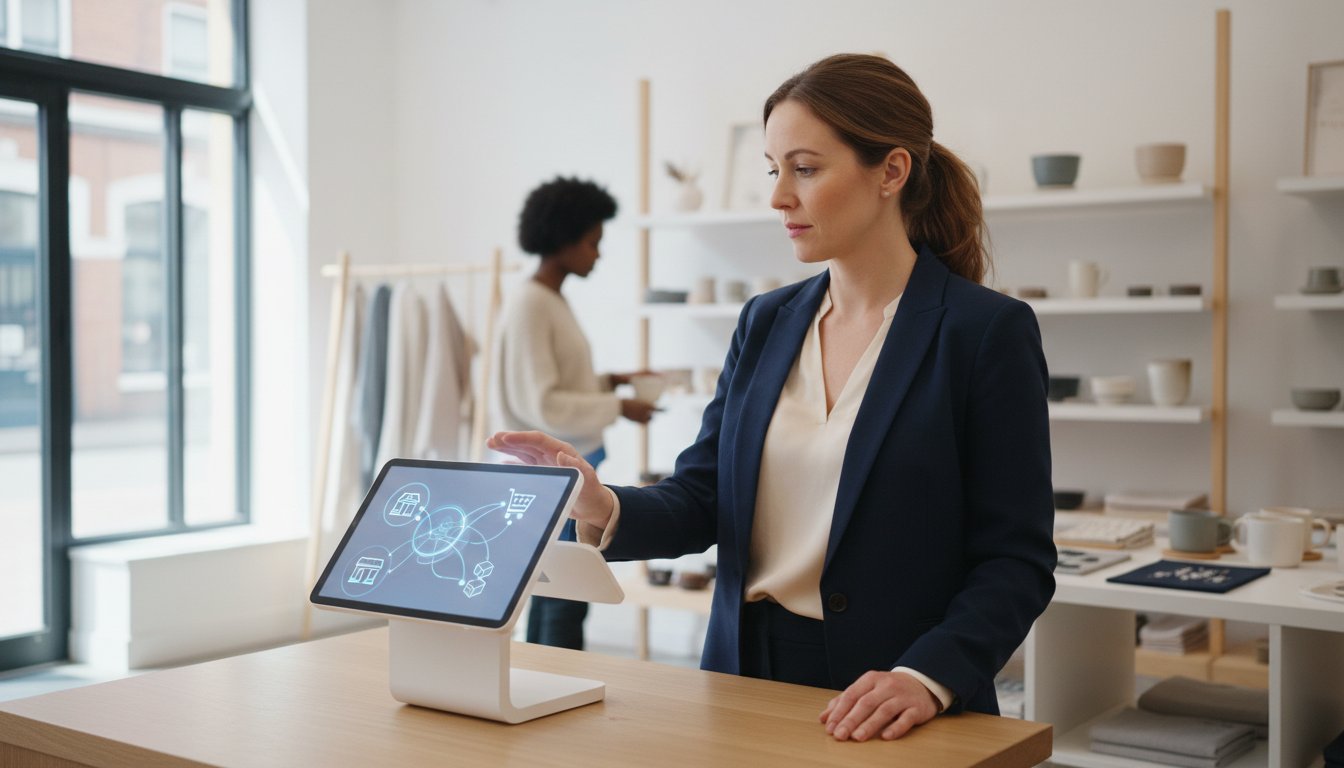
Is your current till system holding your business back? If you're tired of stock levels that never seem to sync between your physical shop and your online store, or frustrated by a clunky checkout process that leaves customers waiting, you're not alone. Juggling disconnected systems can feel overwhelming, making it impossible to get a single, clear view of your customer data. Choosing the right pos for retail store is no longer just about processing transactions; it's about creating a unified command centre for your entire business operation.
As Shopify Experts based here in the UK, we understand these challenges intimately. This comprehensive 2026 guide is designed to cut through the technical jargon and provide clear, actionable advice. We will explore the essential features, hardware options, and crucial integrations you need to look for to seamlessly connect your brick-and-mortar and eCommerce operations. Get ready to discover how the right system can deliver a single, reliable view of your inventory, customers, and sales, creating the future-proof foundation you need to scale with confidence.
What is a Retail POS System (and Why It's Your Business's Hub)
When UK retailers think of a point of sale, the image of a simple cash register often comes to mind. While that's where it all started, the modern Point of Sale (POS) system has evolved far beyond simply processing transactions. Today, the best pos for a retail store is not just a tool for taking payments; it's the central command centre for your entire operation.
It acts as the digital hub that connects your most critical business functions: inventory levels, sales data, customer information, and even staff performance. This integration is the foundation of a seamless, modern retail experience. To see how these systems function in a real-world business context, the following overview is incredibly helpful:
The ultimate goal for a modern retailer is achieving 'Unified Commerce'-a state where every sales channel (your brick-and-mortar store, your eCommerce website, social media) operates from a single, synchronised source of truth. A basic, standalone till simply records a sale. In contrast, a fully integrated system updates your online stock levels the moment an item is sold in-store, adds the customer's purchase history to their profile, and feeds that data directly into your sales reports.
The Problem with Disconnected Systems
Relying on separate, non-communicating systems creates daily operational friction that holds your business back. This often results in:
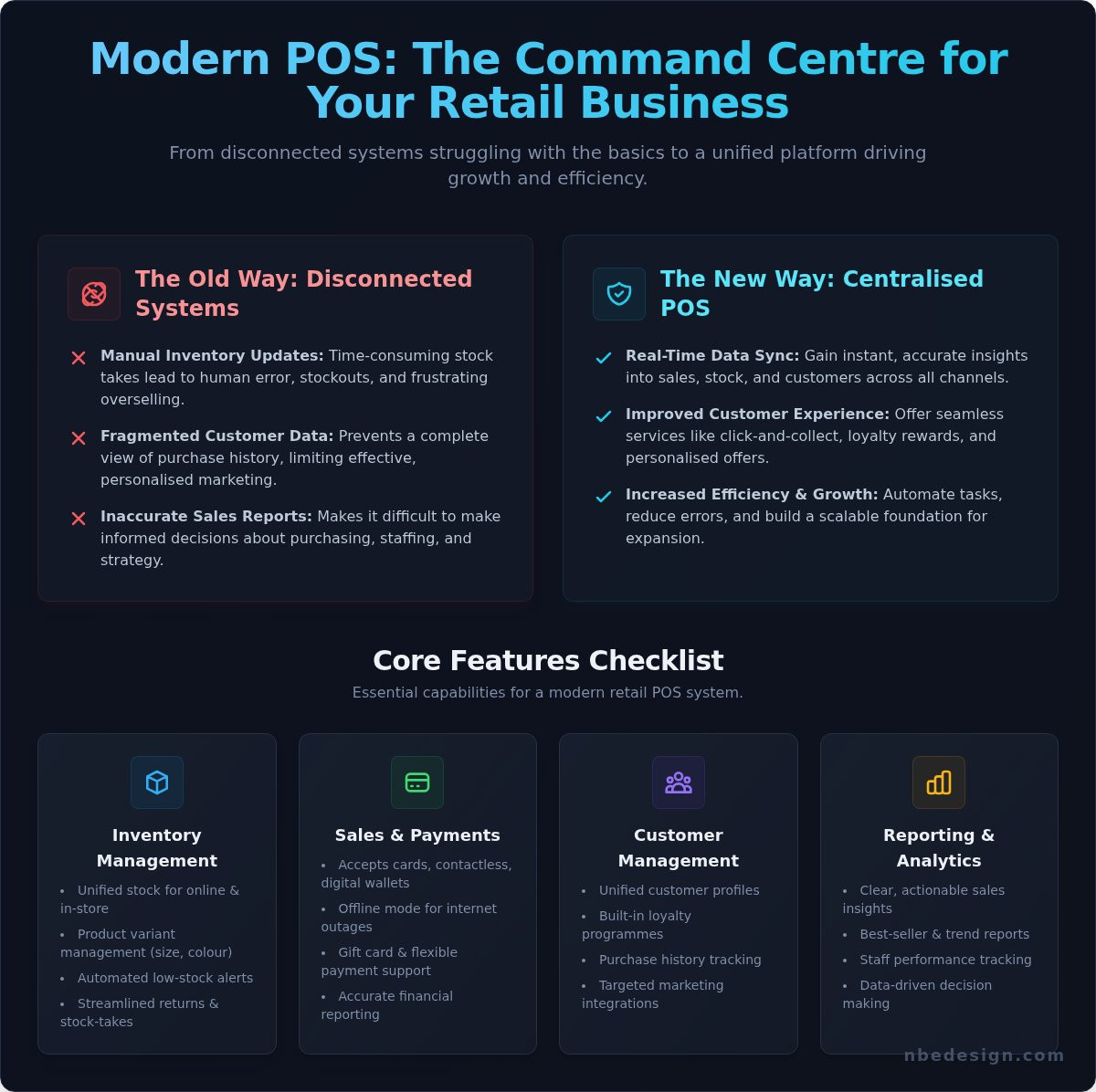
- Manual inventory updates: Leading to time-consuming stock takes, human error, and frustrating stockouts or over-selling.
- Fragmented customer data: Preventing you from understanding your customers' full purchase history and limiting effective, personalised marketing.
- Inaccurate sales reports: Making it difficult to make informed decisions about purchasing, staffing, and business strategy.
- Wasted administrative time: Pulling staff away from the shop floor to instead reconcile data between systems.
These technological hurdles are common challenges for growing businesses. For companies looking to improve their overall IT infrastructure, not just the point of sale, you can learn more about how specialized support can help.
Benefits of a Modern, Centralised POS
Conversely, adopting a modern, centralised pos for a retail store transforms these challenges into opportunities for growth and efficiency:
- Real-time data: Gain instant, accurate insights into what's selling, who's buying, and when you're busiest, across all locations.
- Improved customer experience: Offer seamless services like click-and-collect, in-store returns for online orders, and personalised loyalty rewards.
- Increased efficiency: Automate stock management, streamline end-of-day reporting, and reduce operational errors, freeing up valuable time.
- A foundation for growth: A scalable system supports your business as you add new products, open new locations, or expand your online presence.
Core Features: Your Retail POS System Checklist
Choosing the right pos for a retail store is about more than just taking payments. A modern system acts as the central hub for your entire operation, streamlining tasks that once took hours and unlocking new opportunities for growth. To make a confident decision, you need a clear framework for evaluation. Use this checklist to assess any potential POS system on the features that truly matter for a UK retailer.
Inventory and Stock Management
Your stock is your biggest asset, and managing it effectively is non-negotiable. For a modern retailer like Womacks Of Bawtry, which deals with everything from large furniture pieces to small home accessories, a top-tier POS system is essential to eliminate guesswork and prevent costly errors. Look for:
- Unified Stock Levels: The ability to seamlessly sync inventory between your brick-and-mortar shop and your eCommerce store in real-time.
- Product Variants: Effortless management of products with multiple options like size, colour, or material.
- Smart Automation: Customisable low-stock alerts that prompt you to reorder, with some systems even generating purchase orders automatically.
- Efficient Operations: Simple processes for managing returns, exchanges, and conducting full or partial stock-takes.
Sales and Payment Processing
The checkout experience must be fast, flexible, and utterly reliable. A clunky payment process can lose you a sale. A great system provides:
- Versatile Payment Options: Acceptance of all major credit/debit cards, contactless, Apple Pay, Google Pay, and gift cards.
- Offline Mode: The crucial ability to continue processing sales even if your internet connection drops, syncing the data once you’re back online.
- Accurate Financials: A robust system ensures every sale is recorded accurately, which is essential for managing your finances and complying with UK regulations like the VAT retail schemes.
Customer Relationship Management (CRM)
Your POS can be your most powerful tool for building customer loyalty. By capturing data at the point of sale, you can turn one-time shoppers into lifelong fans. Key CRM features include:
- Unified Customer Profiles: Create a single view of each customer, tracking their purchase history both in-store and online.
- Built-in Loyalty Programmes: The ability to create and manage loyalty schemes, offer points, and send targeted discounts to specific customer groups.
- Personalised Marketing: Use purchase data to inform your email marketing and create personalised shopping experiences.
Reporting and Analytics
Gut feeling has its place, but data provides the roadmap for growth. The best pos for a retail store transforms your sales data into clear, actionable insights. Ensure you can:
- Track Key Metrics: Easily identify your best-selling products, peak sales hours, and most valuable customers.
- Analyse Trends: Generate reports on sales performance by day, week, month, or season to inform purchasing and marketing decisions.
- Access Anywhere: View your business performance from any device, whether you’re on the shop floor or on the go.
Hardware Essentials: Building Your Perfect Checkout Counter
Your Point of Sale software is the brain of your operation, but the hardware is the body that interacts with your customers and products. Choosing the right physical components is crucial for creating an efficient, professional, and reliable checkout experience. This isn't just about a till; it's about building a rock-solid foundation for every in-store transaction.
Of course, the ultimate foundation is the physical store itself. For business owners in the process of acquiring or leasing a new commercial property, ensuring its structural integrity is a critical first step. For example, firms like the Netherlands-based Schippers Bouwconsult BV specialize in the kind of detailed building inspections that provide peace of mind before you even think about installing equipment.
The Core Till: iPad, Tablet, or Dedicated Terminal?
The central hub of your POS system is the screen and computer that runs the software. Your choice here impacts your counter's look, feel, and functionality. Modern systems, often highlighted in reviews of the Best Retail POS Systems, offer incredible flexibility. An iPad or Android tablet provides a sleek, modern aesthetic at a potentially lower initial cost, perfect for boutiques or businesses needing mobility. In contrast, a dedicated, all-in-one terminal is built for the rigours of high-volume retail, offering superior durability. Whichever you choose, invest in a secure and professional stand to protect your device and ensure a stable checkout process.
Payment Processing Hardware
In the UK market, fast and secure payment processing is non-negotiable. Your card reader must be fully integrated with your POS software to streamline transactions and minimise errors. Look for hardware that reliably supports all modern payment methods: contactless, Chip & PIN, and mobile wallets like Apple Pay and Google Pay. A seamless connection ensures that transaction amounts are sent directly from the till to the reader, speeding up queues and improving the customer experience.
Essential Accessories to Streamline Your Retail Store
Beyond the till and card reader, a few key accessories complete your setup and make daily operations significantly more efficient. The right hardware for your pos for retail store will depend on your specific needs, but these are the essentials:
- Barcode Scanners: Drastically speed up checkouts and reduce manual errors. A reliable scanner is also invaluable for stocktakes and receiving new inventory.
- Receipt Printers: While email receipts are a great eco-friendly option, many customers still expect a physical copy. Modern thermal printers are fast, quiet, and don't require expensive ink cartridges.
- Cash Drawers: For any business handling cash, a heavy-duty, secure cash drawer that connects to your POS and opens automatically is a must for security and efficient cash management.
The Game Changer: Unifying Your POS with Your eCommerce Store
In today's retail landscape, the single most critical decision you'll make isn't just about the till in your shop-it's about how that till connects to your online presence. For modern UK retailers, operating with separate systems for in-store and online sales is no longer a viable option. It creates friction for your customers and daunting administrative headaches for you. The future of retail is unified, and choosing the right pos for retail store that integrates seamlessly with your eCommerce platform is paramount for growth and efficiency. For an example of a specialist retailer that benefits from this unified approach, you can learn more.
Why Separate Systems Cause Chaos
Juggling two disconnected platforms is a recipe for inefficiency and poor customer experiences. You're essentially running two different businesses, which leads to predictable problems: you risk selling an item online that just sold in-store, leading to cancelled orders and frustrated customers. Popular services like 'buy online, pick up in-store' (click & collect) become a logistical nightmare, if not impossible. Behind the scenes, your team is stuck with the time-consuming and error-prone task of manually reconciling sales reports and inventory levels. This creates a disjointed brand experience where a loyal online shopper isn't even recognised when they walk into your physical shop.
Key Benefits of a Truly Integrated System
When your POS and eCommerce store operate as one, you unlock a powerful set of capabilities that directly impact your bottom line and customer satisfaction. The benefits are clear and immediate:
- One Inventory: Your stock levels are updated in real-time across all channels. Sell your last item to a customer in-store, and it instantly becomes unavailable online. This eliminates overselling and maximises every sales opportunity.
- One Customer View: Create a single profile for every customer, tracking their purchase history both online and in-store. This allows you to build meaningful loyalty programmes and provide personalised service, no matter where they shop.
- Streamlined Fulfilment: Effortlessly offer the flexible options modern shoppers demand, including click & collect, buy in-store/ship to home, and local delivery managed from a single back office.
- Unified Reporting: Stop guessing. Get a crystal-clear, consolidated view of your entire business performance. Analyse sales data, top-performing products, and customer behaviour across all channels from one central dashboard.
What to Look for in eCommerce Integration
When evaluating a pos for retail store, ask the critical questions. Does it have its own native, powerful eCommerce platform, or is it a clunky third-party integration? How seamlessly do products, customers, and orders sync between channels? Can you truly manage your entire operation-from inventory to marketing-from a single back office? The gold standard is a system built from the ground up for unified commerce, designed to streamline your operations and future-proof your business. See how Shopify POS unifies your retail business.
Making the Switch: How to Implement Your New POS with Confidence
Choosing the right pos for retail store is the first step. The next-implementation-can feel daunting. Many UK retailers worry about disruptive downtime, data loss, and the headache of training staff on a new system. However, a well-planned transition isn't just possible; it can be a smooth and empowering process that sets your business up for future growth. The key is to approach it with a clear strategy, not a sense of panic.
With careful preparation and a methodical approach, you can minimise disruption and get your team excited about the new tools at their disposal. Let's break down the process into manageable stages.
Planning Your Transition
A successful launch starts long before your go-live date. Proper planning is the foundation for a seamless switch. Focus on these critical areas:
- Data Migration: Work with your provider to map out how you'll move essential data. This includes your entire product catalogue (SKUs, pricing, stock levels), customer information for loyalty schemes, and any outstanding gift card balances. A clean transfer is non-negotiable.
- Hardware Setup: Don't wait until the last minute. Unbox and connect all your new hardware-till, barcode scanner, card reader, and receipt printer-well in advance. Run tests to ensure every component communicates with the software correctly.
- Choosing a Go-Live Date: Schedule your switch for a naturally quiet period. Avoid peak season, weekends, or the run-up to a major holiday. A Tuesday in late January, for example, is often a far safer bet than a Saturday in December.
Staff Training and Onboarding
Your team's confidence in the new system is paramount. A powerful POS is only effective if your staff can use it efficiently. Prioritise an intuitive, easy-to-learn interface, but never skip dedicated training. Conduct hands-on sessions for all staff, running test transactions for common scenarios like sales, returns, and applying discounts. Creating simple "cheat sheets" for the till point can also be a huge help during the first few weeks.
Why Work with a POS Implementation Expert?
Navigating a POS migration alone can be complex and risky. Partnering with an expert removes the guesswork and ensures a professional, streamlined process. A specialist can manage the entire data migration to prevent errors, advise on the optimal hardware setup for your specific store layout, and provide tailored training that addresses your team's unique workflows. This expert guidance transforms a potentially stressful project into a strategic upgrade for your business. Let our experts handle your hassle-free POS transition.
Your Next Step: Unifying Your Retail Operations
Choosing the right pos for retail store is more than just a technical upgrade; it's a foundational step towards future-proofing your business. As we've explored, the best systems act as the central hub for your entire operation, seamlessly syncing inventory across your brick-and-mortar and online stores. This unified approach not only streamlines daily tasks but also unlocks powerful customer insights, paving the way for sustainable growth.
We understand that navigating this decision and implementing a new system can feel daunting. As a certified Shopify Select Partner, our UK-based team are experts in unifying online and retail stores. We have the global experience to help you find the perfect setup for your business and ensure a hassle-free transition, giving you the confidence to scale.
Ready to simplify your operations and master your sales channels? Talk to a UK-based Shopify POS Expert today. Let's build a more efficient and profitable future for your retail business, together.
Frequently Asked Questions About POS for Retail Stores
How much does a POS system for a retail store typically cost?
The cost of a pos for retail store in the UK varies based on your specific needs. Software subscriptions, like Shopify POS, start from around £25 per month for basic plans, rising to £69 per month for the feature-rich Pro version, plus card processing fees. Hardware is a one-time investment; a complete setup with a card reader, scanner, and receipt printer can range from £200 to over £800, depending on the components you choose for your business.
Can I use my existing iPad or computer for a new POS system?
Absolutely. Modern cloud-based POS systems like Shopify POS are designed for flexibility and can run on hardware you already own. The Shopify POS app is fully compatible with iPads and iPhones, allowing you to create a powerful and portable checkout with minimal new investment. You can also access the system through a web browser on any desktop computer, which is perfect for managing your back office or processing sales from a fixed counter.
What is the difference between Shopify POS Lite and Shopify POS Pro?
Shopify POS Lite is included with all Shopify eCommerce plans and is ideal for pop-up shops, market stalls, or simple in-person sales. It covers the essentials of taking payments and managing orders. Shopify POS Pro, an upgrade for brick-and-mortar stores, offers advanced features to streamline operations. These include unlimited staff accounts, smart inventory management, in-depth retail reports, and omnichannel tools like click-and-collect, which are crucial for scaling a unified retail business.
Do I need a constant internet connection for my POS to work?
While a stable connection is ideal for real-time syncing, many leading systems, including Shopify POS, are built to function offline. You can continue processing transactions even if your internet connection is temporarily lost. The system securely stores the sales data on your device and automatically syncs everything-including inventory levels and sales reports-across all channels as soon as you reconnect. This future-proofs your sales process against connectivity issues.
How long does it take to set up a new retail POS system?
The setup time can be remarkably fast, especially if your products are already on an eCommerce platform like Shopify. A basic configuration can be completed in just a few hours. For a more comprehensive installation involving new hardware, detailed settings configuration, and staff training, you should plan for one to two days. As Shopify Experts, we ensure this transition is efficient and hassle-free, getting you ready to sell with confidence as quickly as possible.
Is it difficult to migrate my product and customer data to a new POS?
Migrating data can seem daunting, but modern platforms have made the process much more manageable. Most systems support bulk data import using standard CSV files, allowing you to transfer product catalogues and customer lists efficiently. For a completely seamless and error-free transition, partnering with an expert is the best approach. We can handle the entire data migration for you, ensuring your information is moved securely and accurately with no disruption to your operations.

- Posted in:
- eCommerce Integration
- Inventory Management
- Point of Sale
- pos for retail store
- POS Systems
- Retail Guide 2026
- Retail Technology
- Shopify POS
- UK Retail