Skip to content
Shopify POS in Newcastle: Guide for Local Retailers
-
3090 words · 15 min read

What if your Newcastle shop and online store could work from the same view of stock and customer information? Managing separate systems can make everyday tasks harder, from checking availability to recognising returning customers. Shopify POS in Newcastle can bring in-store and online retail together, but the right setup starts with how your shop operates.
If you’re weighing up hardware, inventory needs and how to manage sales across channels, clear, practical guidance helps. This guide explains how Shopify POS connects online and in-store retail, what to assess against your workflows, and how hardware fits into a considered setup.
NB eCommerce & Design is based in Teesside and supports retailers across Newcastle and the North East with Shopify POS integration. The team’s Shopify experience can help you plan a setup around your day-to-day retail needs, from connected systems to the checkout hardware your staff use.
Key Takeaways
- See how Shopify POS connects shop-floor and online sales, bringing stock and customer information together.
- Assess a Shopify POS Newcastle setup against your checkout workflow, inventory needs and customer profile management.
- Consider how POS hardware supports your shop’s checkout tasks and fits a UK retail setup.
- Plan a rollout by reviewing current routines and preparing staff for changes.
- NB eCommerce & Design supports Newcastle retailers as a Teesside-based Shopify Select Partner, a status awarded in January 2026.
Why Newcastle retailers consider Shopify POS for connected in-store and online sales
A shop’s till and online store are two sales channels, but they don’t have to operate as separate systems. Shopify POS is a point-of-sale system for taking in-person sales as part of a Shopify retail setup. For Newcastle retailers, a practical consideration is whether both channels can use a shared view of stock and customer information.
When sales channels are managed separately, staff may need to reconcile stock records or search different systems for customer details. That can complicate routine tasks such as checking availability, reviewing what has sold or recognising a returning customer. Shopify POS supports unified inventory and customer profile management across online and in-store channels, bringing these parts of retail operations together.
Shopify, a Canadian multinational e-commerce company, introduced its point-of-sale (POS) system to support in-person sales alongside online sales. For a retailer, the value is not simply connecting a till to a website. It’s having sales channels share relevant retail information, so staff can work with a clearer view of stock and customer activity.
What does Shopify POS do for a Newcastle shop?
At the physical checkout, Shopify POS is used to process in-store sales. Alongside a Shopify online store, it connects that activity with the wider retail operation. Unified inventory provides a shared view of stock, while customer profiles support access to customer information across channels. These capabilities can help staff handle everyday tasks without relying on separate records.
Consider a Newcastle homeware shop selling products in store and online. A customer buys an item at the till while another places an online order. If the channels are managed separately, staff may have to check or reconcile different stock records. A connected setup gives the retailer a unified inventory view to support stock management across both routes to sale. The retailer’s product and order processes still shape how that information is maintained.
Which local retailers might consider a connected POS?
An independent boutique may want to manage its online and shop-floor stock together. A larger retailer may value shared customer profiles across channels, while a multi-location business may need to consider how staff manage activity at each site. These workflows differ, so the setup should reflect how each business trades.
For retailers in Newcastle and the wider North East, start with the day-to-day details: where customers buy, how staff check stock and what customer information is useful at the point of sale. A connected POS is worth considering when separate systems make those tasks harder to coordinate. The goal is a setup that fits the business, not technology for its own sake.
How Shopify POS connects stock and customer profiles across sales channels
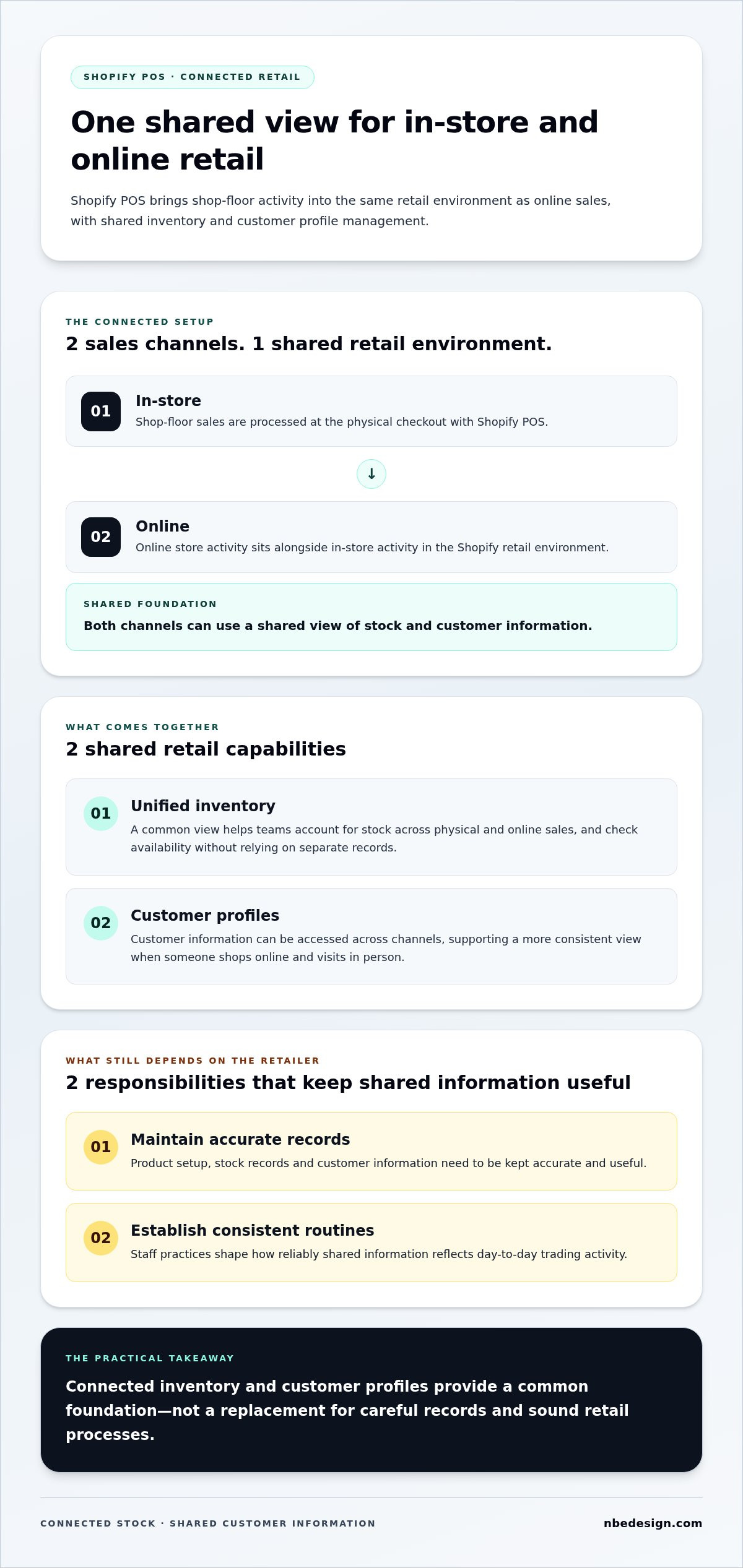
A connected setup brings shop-floor sales into the same Shopify retail environment as online activity. Shopify POS supports unified inventory and customer profile management across in-store and online channels. Retailers can use this shared basis for viewing stock and customer information instead of treating each sales route as a separate operation.
Connected retail through Shopify POS means managing in-store and online sales with shared inventory and customer profiles. The platform provides these capabilities, while the usefulness of the information depends on how the retailer maintains product, stock and customer records. A shared system supports consistency, but staff routines still matter.
How does Shopify POS support inventory visibility?
Unified inventory gives retailers a way to manage stock across physical and online sales channels. Imagine a Newcastle footwear shop selling a pair of boots in store and through its Shopify online shop. A sale at the physical checkout becomes part of the shared retail environment, helping the team account for stock across both channels instead of relying on separate records.
A shared view can help staff check what remains available before discussing an item with a customer. It doesn’t replace sound stock processes: product records and inventory still need to be maintained carefully. Connected inventory provides a common foundation, while the retailer’s procedures determine how reliably it reflects trading activity.
How can shared customer profiles help retail teams?
A customer profile is a record of customer information managed within Shopify. With customer profile management across online and in-store channels, retail teams can work with customer information in the shared Shopify environment. This can support a more consistent experience when someone shops online on one occasion and visits the shop on another.
For example, a customer might browse the online store before asking about a product in person. A shared profile can help staff access relevant customer information across channels and have a more informed conversation. It doesn’t guarantee a particular sales result, and staff still need to use customer information thoughtfully. Retailers should establish clear practices for keeping records accurate and useful.
For retailers weighing up Shopify POS Newcastle integration, distinguish between what the platform supports and what the business needs to manage. Shopify POS brings inventory and customer profile management together across channels; product setup, record quality and staff habits influence how useful that shared view is in daily work.
- Platform capability: unified inventory and customer profile management across online and in-store channels.
- Retailer responsibility: maintaining accurate product and customer information, and establishing consistent working practices.
Map how your team handles a sale, stock adjustment or customer enquiry today. This can show where a shared view would help most. To discuss how those workflows could fit a connected POS setup, talk to NB eCommerce & Design.
How Newcastle retailers can assess Shopify POS and hardware options
Start with the way your shop trades, not with a device catalogue. Before comparing hardware, map out what happens at the till, how staff check stock and what customer information they need. Then compare those needs with Shopify POS capabilities. The Shopify POS overview introduces the platform; the questions below help relate it to your Newcastle shop’s daily work.
Which POS questions should a retailer answer first?
Consider how staff take payments, serve customers during busy periods and complete everyday shop-floor sales. Identify how online and in-store stock should be managed, and what customer information is useful at checkout. If you run more than one shop, include how staff need to view and manage activity across locations. These answers describe the workflows your POS setup needs to support.
Use the comparison below to make those requirements concrete before choosing hardware.
| Area to assess | Questions for your team | What to look for in the setup |
|---|---|---|
| Checkout workflow | How do staff take payments and complete a typical sale? Where do queues or extra steps arise? | A checkout arrangement that fits how staff serve customers and process shop-floor sales. |
| Inventory needs | Do staff need a shared view of stock for in-store and online sales? How are product records maintained? | Shopify POS supports unified inventory across in-store and online channels; retailer processes help keep records useful. |
| Customer profiles | What customer information helps staff provide consistent service across channels? | Shopify POS supports customer profile management across in-store and online retail. |
| Locations | Does the business trade from one shop or several? | A setup planned around how the business organises its locations and staff workflows. |
What should retailers consider about UK POS hardware?
Hardware supports the checkout, and the right choice depends on the tasks your team carries out. NB eCommerce & Design provides Shopify POS hardware solutions for UK retailers, considered as part of the wider integration. Focus on the role each piece of equipment needs to play rather than choosing by appearance alone.
Hardware and Shopify POS capabilities are related but distinct parts of the decision. The platform provides connected retail features, while equipment should suit your checkout workflow. Assess hardware requirements in the context of how your shop operates and what staff need to do at the till.
A hands-on demonstration can help staff picture the checkout process and discuss how it fits their routines. Retailers can explore Shopify POS demos and onsite visits in the North East while evaluating a setup.
How to plan a Shopify POS rollout without unsettling shop-floor routines
Changing a point-of-sale system can raise a fair concern: will staff be able to serve customers confidently while they adapt? A considered rollout starts with existing routines, not a rushed switch. Write down how sales, stock checks and customer enquiries are handled today, then plan a Shopify POS setup around the actual needs of your shop.
What should a retailer prepare before changing POS?
Record the steps staff follow at checkout and how they update or check stock and customer profiles. Note which online and in-store processes you want to connect, where teams currently repeat work, and what they need to serve customers. Include shop-floor questions early, so planning addresses practical concerns as well as system choices.
- Map the current checkout: Note how staff process a typical sale and what they do when a customer asks for help or an item needs attention.
- Trace stock tasks: Record how the team checks availability and keeps product information aligned between the shop and online store.
- Review customer information: Identify what details staff use in store and how those relate to online customer records.
- Choose what to connect: Agree which workflows should share information through Shopify POS, and where existing routines need to change.
- List priorities and questions: Capture staff concerns, busy trading periods and the tasks that matter most for a workable transition.
This gives the retailer and implementation team a clear starting point. It helps separate essential day-to-day needs from changes that can be planned independently, rather than asking staff to adjust to an unclear process all at once.
How can staff adapt to a new POS workflow?
Bring relevant shop-floor staff into the conversation before finalising the workflow. Explain what the new setup is intended to do, and invite the team to talk through familiar tasks. This can help identify practical questions and make the change easier to plan, although it cannot remove every challenge or guarantee that trading won’t be affected during a transition.
- Walk through a standard sale and the information staff need at checkout.
- Discuss a stock enquiry involving both the shop and online store.
- Consider how a customer profile may support service across channels.
Use these scenarios to spot unanswered questions and clarify responsibilities before the change. Keep the scope clear, too: implementing Shopify POS is not automatically the same as moving an entire ecommerce platform. If you’re also planning a platform move, treat it as a separate migration workstream with its own requirements.
For Newcastle retailers, Shopify POS Newcastle planning is most useful when it reflects actual shop-floor tasks and gives staff a clear role in the change. Discuss your Shopify POS rollout with NB eCommerce & Design and plan how integration can fit your retail workflows.
Work with a North East Shopify POS partner in Newcastle
A POS project is easier to plan when the advice starts with your shop’s real operation: how customers buy, how staff serve them, and how online and in-store activity fits together. Based in Teesside, NB eCommerce & Design supports retailers in Newcastle and across the North East with Shopify POS integration and UK hardware solutions.
The company has worked with the Shopify platform since its launch in 2006 and became a Shopify Select Partner in January 2026. Its Shopify specialisation gives local retailers a knowledgeable point of contact for planning POS integration around existing systems and everyday routines, rather than treating hardware as a standalone decision.
What can a local Shopify POS partner help retailers plan?
Planning can begin with your current online store, shop-floor checkout and stock processes. NB eCommerce & Design can shape an implementation around those operations and consider the role of UK POS hardware in the setup. The aim is to understand how the parts should work together for your business and what staff need from the system during a typical trading day.
For retailers looking for regional Shopify expertise, get in touch with NB eCommerce & Design to discuss the team’s specialist focus. A useful POS plan should account for the way your shop trades, rather than assume every retailer has the same checkout, stock or customer service requirements.
What is a practical next step for a Newcastle retailer?
Start by outlining your shop format, current systems and operational priorities. Explain whether you trade from one shop or several, how your online store fits into daily work, and which checkout or stock tasks you want to improve. These details make a discussion about Shopify POS Newcastle specific to your retail workflow.
If seeing the setup in practice would help your team picture the change, North East retailers can explore an onsite Shopify POS demonstration. A hands-on conversation can bring workflow questions into focus and help you consider how the system and hardware could fit your shop. It’s a practical way to explore the next step without assuming every business needs the same configuration.
Share your priorities and discuss how Shopify POS integration could support your retail operation. Discuss your Shopify POS plans with NB eCommerce & Design.
Make your next POS decision with confidence
Your next step doesn’t need to be choosing equipment. Start by turning your day-to-day retail needs into a short working brief: what should be easier for staff, what information needs to be shared, and which checkout routines matter most? This gives your Shopify POS Newcastle planning a practical reference point and keeps discussions focused on your priorities, not features for their own sake.
Bring that brief, along with your team’s questions, into a conversation about your requirements. A focused discussion can help clarify the scope of your POS integration, the role of hardware and how to plan a change around your shop’s trading patterns. You’ll have a clearer basis for deciding what to do next.
Discuss your Shopify POS requirements with our team. A considered next step can help you shape a setup that fits the way your business works.
Frequently Asked Questions
What is Shopify POS and how does it work for a Newcastle shop?
Shopify POS is a point-of-sale system retailers use to sell in person as part of their Shopify retail setup. At a Newcastle shop, staff can use it to handle purchases at the till while the business also sells through its Shopify online store. A retailer adding in-person sales to an established online operation can plan the checkout around its products, staff routines and customer service needs.
Can Shopify POS connect in-store and online inventory?
Yes. Shopify POS supports unified inventory management across in-store and online channels, giving retailers a shared basis for managing products sold through both routes. To keep that information useful, establish clear routines for adding products and maintaining stock records. For example, agree who updates product information and how staff handle stock checks.
What hardware do I need for Shopify POS in the UK?
The hardware you need depends on how your team serves customers and handles checkout tasks. List the equipment needed to take payments and complete usual in-store transactions, then consider how it fits your counter and staff workflow. NB eCommerce & Design provides Shopify POS hardware solutions for UK retailers. Assess equipment choices against your shop’s requirements rather than assuming every retailer needs the same setup.
Is Shopify POS suitable for a small independent retailer in Newcastle?
It can suit an independent retailer if its capabilities match the shop’s needs. A small Newcastle boutique, for instance, might want to manage in-store and online retail through Shopify while keeping checkout straightforward for staff. Start with the shop’s product range, sales channels and daily processes. A small business doesn’t need to copy a larger retailer’s configuration; its POS plan should reflect how it operates.
Can I use Shopify POS if I already sell online with Shopify?
Yes. Shopify POS can be integrated with an existing Shopify online store to support connected in-person and online retail. This doesn’t necessarily mean moving the online store to a different platform. Consider how the current store manages products and customer information, then identify what the physical shop needs from the POS. This helps define the integration around your existing setup and shop-floor requirements.
How can a Newcastle retailer arrange a Shopify POS demonstration?
North East retailers can explore an onsite Shopify POS demonstration to see how the system may fit their shop’s workflow. Beforehand, note your checkout process, current systems and staff questions. That gives the discussion a practical focus, whether you want to understand the customer journey at the till or how in-store selling could sit alongside your online operation. Explore Shopify POS demos and onsite visits.
How much does Shopify POS setup cost in Newcastle?
Shopify POS setup pricing depends on the retailer’s project requirements, so there isn’t a single figure for every Newcastle shop. The scope can vary according to the existing online and in-store operation and the setup being planned. NB eCommerce & Design provides pricing details on request. To discuss your requirements, outline your shop and the POS support you’re considering through the contact page.

- Posted in:
- In-Store Retail
- Inventory Management
- Newcastle Retail
- Omnichannel Retail
- POS Hardware
- Retail Technology
- Shopify POS
- shopify pos newcastle