Skip to content
Shopify POS Setup: The Complete 2026 Guide to Unifying Retail
-
3113 words · 15 min read
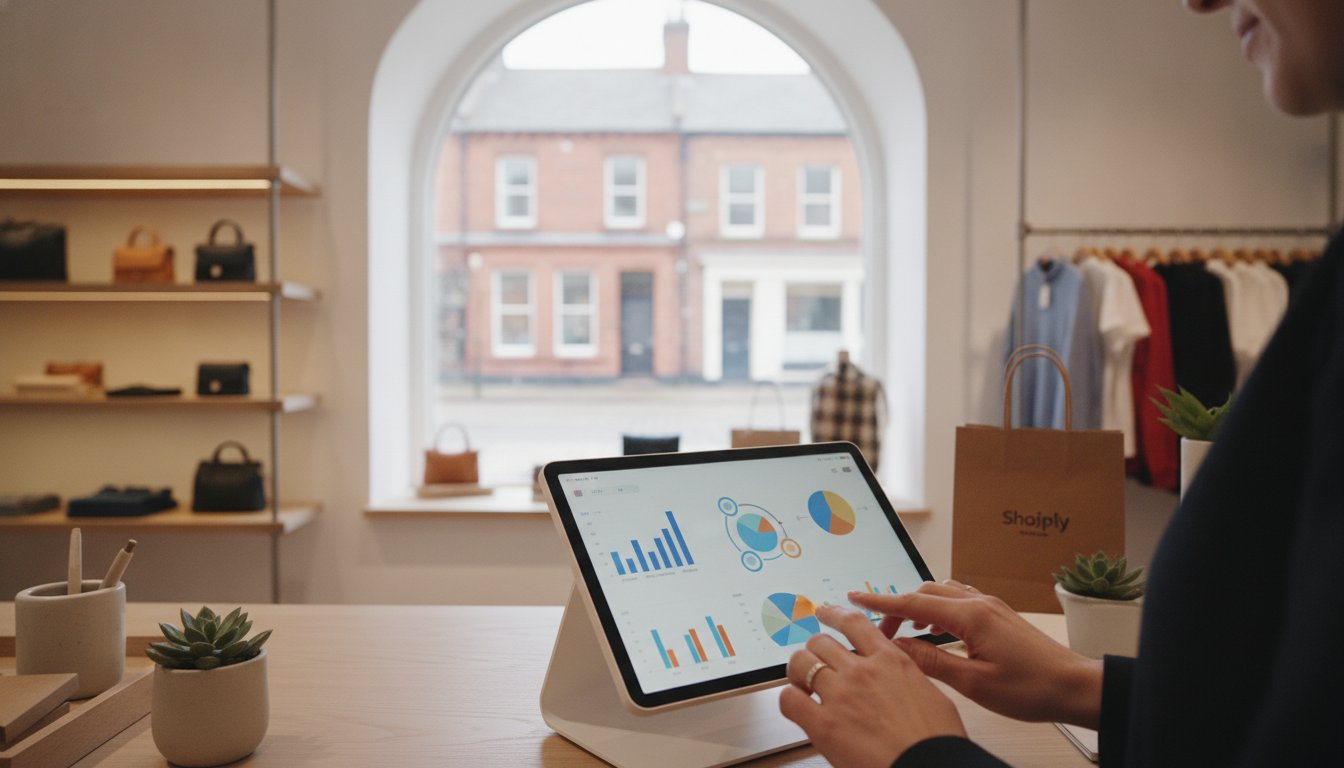
Could your physical shop and online store be working against each other instead of together? Many retailers believe a truly unified system is a luxury reserved for global brands, but in 2026, it's the baseline for any thriving UK business. We know the anxiety that often accompanies a new Shopify POS setup. You're likely worried about stock levels drifting apart, complex hardware refusing to sync, or the time needed to get your team up to speed. It's a significant challenge to manage while you're also trying to serve customers on the high street.
This expert-led guide promises to turn that technical dread into a clear competitive advantage. You'll learn how to synchronise your operations seamlessly, ensuring every sale is recorded correctly whether it happens at your counter or on a smartphone. We'll walk through the essential hardware configurations, inventory management secrets, and staff training protocols that create a fully functional, synced retail system. By the end, you'll have the confidence to manage a unified business that puts customer data at the heart of every interaction.
Key Takeaways
- Learn the critical differences between Shopify POS Lite and Pro to ensure your chosen plan supports your specific retail growth goals.
- Master your Shopify POS setup by auditing your inventory and mapping your physical store layout to the customisable Smart Grid.
- Discover how to configure the latest UK-specific hardware, such as the Shopify POS Terminal, for a reliable and professional point-of-sale experience.
- Implement efficient omnichannel workflows like "Buy Online, Pick Up In-Store" (BOPIS) to unify your customer data across all sales channels.
- Understand the value of partnering with a certified UK Shopify expert to manage technical complexities and ensure a low-stress system transition.
What is Shopify POS and Why Does Setup Quality Matter?
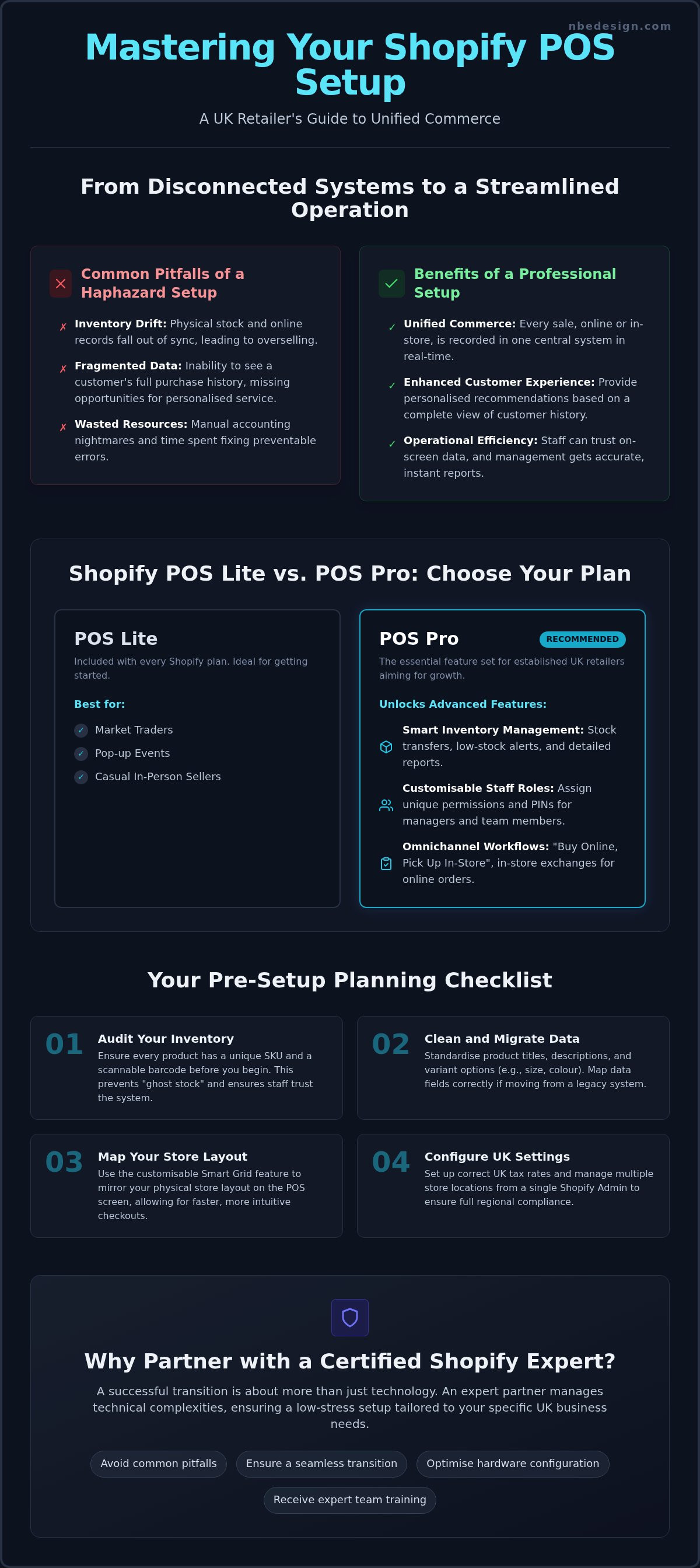
Shopify POS serves as the vital bridge between your digital and physical storefronts. It's more than just a tool for taking payments; it's a unified commerce engine that ensures your brand remains consistent across every touchpoint. A high-quality Shopify POS setup is the difference between a fragmented business and a streamlined operation. When your systems aren't properly aligned, inventory discrepancies become inevitable. These errors lead to frustrated customers and manual accounting nightmares that drain your time and resources.
By prioritising a professional configuration, you're investing in long-term stability. A haphazard setup often leads to "inventory drift", where your physical shelves and digital records slowly fall out of sync. This results in the awkward situation of selling a product online that was actually sold in-person an hour earlier. Unified data doesn't just help with stock control; it transforms how you interact with your customers. When staff can see a customer's full purchase history on the shop floor, they can provide personalised recommendations that build genuine loyalty and increase average order values.
The Core Components of a Modern POS System
The Shopify POS app acts as the command centre for your retail operations. It's designed to be intuitive, allowing your team to process sales, apply discounts, and manage returns with ease. Behind the scenes, cloud-based synchronisation ensures that every transaction is reflected in your Shopify Admin in real-time. This central hub is where you manage multiple retail locations, track performance, and oversee your entire product catalogue from one login. The Shopify Admin acts as the single source of truth, eliminating the need for manual spreadsheets and reducing the risk of human error during busy trading periods.
POS Lite vs. POS Pro: Choosing Your Subscription
Every Shopify plan includes Shopify POS Lite at no extra cost. This is often sufficient for casual sellers, market traders, or those running occasional pop-up events. However, most established UK retailers reach a tipping point where the advanced features of POS Pro become essential for growth. Identifying this moment is key to maintaining momentum in your business.
You should consider moving to POS Pro when you need:
- Smart inventory management: Access to detailed reporting, stock transfer capabilities, and low-stock alerts.
- Customisable staff roles: Assigning specific permissions and pins to managers versus temporary or part-time staff.
- Omnichannel workflows: Handling "Buy Online, Pick Up In-Store" (BOPIS) orders and processing exchanges for online purchases at your physical counter.
If you're unsure which path fits your business, we offer onsite POS demos for North East businesses to show these features in action. Working with a certified Shopify expert ensures you choose the right tools without overspending on features you don't yet need, making your Shopify POS setup both efficient and cost-effective.
Pre-Setup Planning: The Foundation of Unified Retail
Most retailers rush to unbox hardware, but the most successful transitions happen in the planning phase. If your data is messy, your new system will simply automate that mess. Auditing your current inventory for Shopify compatibility is the first hurdle. You need to ensure every product has a unique SKU and a scannable barcode before you even think about the physical shopify pos setup. This preparation prevents "ghost stock" where items exist on shelves but aren't visible to the digital system. It's about creating a reliable environment where your staff trust the numbers they see on the screen.
Inventory Architecture and Data Migration
Cleaning your product data is essential for a smooth launch. This means standardising titles, descriptions, and variant options like size or colour across your entire range. If you're moving from a legacy system, the transition can be daunting. We often see retailers struggle with mismatched data fields during Shopify migration services because they didn't map their old SKUs to the new architecture correctly. Organising your variants now ensures that when your staff scan a barcode, the correct price and stock level appear instantly. It's about building a foundation that supports speed at the checkout and accuracy in the warehouse.
Location Management and Tax Settings
For UK businesses, regional compliance is non-negotiable. You must configure your Shopify Admin to handle VAT correctly across all locations. Whether you have one shop in Darlington or several across the North East, assigning inventory to specific retail points allows for pinpoint stock tracking. You should also ensure your receipt templates are HMRC-compliant, including your VAT registration number and a clear breakdown of tax. This level of detail protects your business during audits and provides professional documentation for your customers.
Beyond the technical settings, think about your actual shop floor. Mapping your physical store layout to the Shopify POS Smart Grid allows you to place your fastest-selling items within a single tap. This reduces wait times and keeps queues moving during peak periods. Finally, define your staff roles and permissions early to secure your system. Managers might need access to refunds and inventory adjustments, while temporary staff should only have basic register access. If you're feeling overwhelmed by these technical requirements, you can always get in touch with our team for guidance on configuring your specific retail environment.
Step-by-Step Shopify POS Hardware Configuration
Hardware is the physical manifestation of your digital brand. It's the moment your customer interacts with your business in the real world. A professional shopify pos setup requires more than just plugging in cables. It demands a systematic approach to ensure every peripheral works in harmony. Whether you're running a boutique in Newcastle or a busy showroom in Darlington, your hardware must be as reliable as your staff. Selecting the right components depends on your volume of sales and the physical layout of your retail space.
Setting Up the Shopify POS Terminal
The Shopify POS Terminal is the centrepiece of a modern UK retail counter in 2026. To begin, initialise the device and connect it to a secure, private Wi-Fi network. You should avoid using public guest Wi-Fi, as this can lead to security vulnerabilities and unstable connections during peak trading. Once connected, the system will likely prompt for a firmware update. Don't skip this step. These updates contain critical security patches and performance improvements that keep your payments processing smoothly. Finally, enable Customer Display Mode. This allows your shoppers to see their itemised list and total price, creating a transparent and professional checkout experience that builds trust.
Peripheral Hardware Integration
Choosing between Bluetooth and Wi-Fi printers depends on your shop's specific needs. Bluetooth printers are excellent for smaller counters where space is at a premium and devices are close together. However, Wi-Fi printers often provide a more stable connection for larger stores where the printer might be located further from the main terminal. After the printer is live, pair your barcode scanners. These are essential for rapid stock takes and reducing manual entry errors at the till. Most modern scanners pair via Bluetooth, but always check for interference from other electronic devices in the immediate area.
Testing is the final, vital step of your hardware configuration. Walk around your store with your mobile devices to check for Wi-Fi dead zones that could interrupt a sale. Bluetooth interference can occasionally cause connection drops, so ensure your devices have a clear line of sight where possible. If you encounter persistent issues, it's often worth resetting the network settings on your tablet before re-pairing the peripherals. A robust hardware configuration prevents technical glitches from ruining a customer's experience. If you'd like to see these devices in person before committing, we provide onsite POS demos for North East businesses to help you find the perfect fit for your environment.
Optimising Your System for Peak Performance
Once your hardware is live, the focus shifts to software efficiency. A successful shopify pos setup isn't just about the physical kit; it's about how that kit handles your daily rush. You need a system that feels like second nature to your staff. This is where fine-tuning your settings makes a measurable difference to your bottom line and staff morale. When your workflows are optimised, you spend less time troubleshooting and more time engaging with your customers.
The Smart Grid: Designing for Speed
The Smart Grid is your digital dashboard. Think of it as a customisable cockpit for your checkout. You should add shortcuts for your most frequent discounts and custom items to save precious seconds on every transaction. Organising tiles by category or seasonal promotion ensures that your team isn't hunting for products during a busy Saturday morning queue. We recommend creating a simple staff training checklist for the new interface. It helps new hires feel confident from day one, reducing the anxiety often associated with new technology.
Unifying the Customer Experience
Modern retail thrives on unified data. By enabling customer profiles, you create a seamless journey between your online store and your physical shop. This allows for omnichannel marketing that feels personal rather than intrusive. Managing returns and exchanges across different channels is another key advantage. If a customer buys a coat online, they should be able to exchange it at your Darlington counter without a fuss. This level of service is a core part of Conversion Rate Optimisation for your entire brand. It turns one-time shoppers into lifelong advocates.
Don't ignore the power of integrated loyalty programmes. Rewarding your in-store customers with points they can use online creates a powerful incentive to stay within your ecosystem. Behind the scenes, utilize the robust retail analytics built into the platform to track staff performance and stock turns. This data reveals your most productive hours and identifies which items are collecting dust. It allows you to make informed decisions about staffing levels and future inventory purchases. It's the difference between guessing your growth and knowing exactly how your business is performing at every location.
Optimising these workflows can be complex, but the rewards are significant. If you want to ensure your system is tuned for peak performance, book a consultation with our Shopify experts today.
Why Work with a Certified Shopify POS Expert?
While the platform is incredibly user-friendly, the technical intricacies of a professional shopify pos setup often require a specialist touch. You've already invested significantly in your stock and your physical space; protecting that investment means ensuring your backend systems are robust from day one. A UK-based Shopify expert understands local market conditions, from VAT compliance to the specific hardware availability in the British Shopify store for 2026. This local knowledge prevents the common pitfalls of following generic advice that doesn't quite fit the UK retail landscape.
Transitioning to a new system shouldn't mean closing your doors or losing a day of trading. A managed migration ensures zero downtime, allowing you to keep serving customers while the technical heavy lifting happens in the background. By offloading the configuration to professionals, your internal team can focus on what they do best: providing excellent service and making sales. We handle the data mapping, inventory architecture, and hardware testing so you don't have to spend your evenings troubleshooting Bluetooth connections or syncing errors.
Onsite Support in the North East
We believe in the power of being local. For retailers in Darlington, Newcastle, and the wider region, we offer personalised POS demos and onsite visits. There's no substitute for seeing the hardware in your own shop and having an expert walk your team through the interface in person. These tailored training sessions reduce staff anxiety and ensure everyone is confident using the new system before the first customer arrives. Our support doesn't end on launch day; we provide the ongoing guidance needed to help you scale your operations as your business grows.
A Managed Approach to Growth
At NB eCommerce & Design, we take a holistic view of your retail presence. A successful shopify pos setup is just one piece of the puzzle. We can integrate your physical retail system with bespoke business graphic design to ensure your receipts, digital displays, and online store share a cohesive brand identity. This unified approach builds professional credibility and deepens customer trust across every channel. If you're ready to stop worrying about technical glitches and start focusing on your retail strategy, Contact us to start your POS journey today.
Future-Proof Your Retail Presence Today
Unifying your physical and digital storefronts is no longer an optional upgrade; it's the foundation of modern commerce. By mastering your shopify pos setup, you eliminate the manual errors and inventory discrepancies that hold your growth back. We've explored how strategic planning, precise hardware configuration, and Smart Grid optimisation create a seamless experience for both your staff and your customers. These elements work together to build a resilient business that puts data at the heart of every decision.
As a Certified Shopify Partner based in North East England, we're specialists in retail unification. We understand the specific challenges UK retailers face and provide the grounded, expert guidance needed to navigate technical transitions without the stress. We're here to ensure your system is robust, compliant, and ready to scale. If you're ready to synchronise your operations and unlock the full potential of your brand, Book a Shopify POS Consultation with Our Experts. Taking this step now ensures your business remains competitive and prepared for the future of high-street retail. Your journey toward a truly unified store starts with a single conversation.
Frequently Asked Questions
Do I need a separate Shopify plan for Shopify POS?
No, you don't need a separate plan, but you must have an active Shopify subscription. POS Lite is included with all standard plans at no extra cost. For more advanced features, you can upgrade to POS Pro on a per-location basis. This structure allows you to scale your physical presence alongside your digital store without needing to manage two separate platforms.
Can I use Shopify POS with my existing iPad or Android tablet?
Yes, you can run the app on most modern iPads and Android tablets. It's essential to verify that your device supports the latest operating system updates and has Bluetooth capability for pairing hardware. Using your existing devices can significantly lower the entry cost of your shopify pos setup, provided the hardware meets the platform's minimum technical requirements for security and performance.
How does Shopify POS sync with my online store inventory?
The system uses cloud-based technology to synchronise your inventory in real-time across all sales channels. When an item is sold in your physical shop, the digital stock levels update instantly on your website. This automation eliminates the risk of overselling and ensures your online customers always see accurate availability, which is vital for maintaining trust and operational efficiency.
What hardware is essential for a basic Shopify POS setup?
A basic configuration requires a tablet, the Shopify POS app, and a secure payment reader like the Shopify POS Terminal. Most UK retailers also find a receipt printer and a cash drawer essential for daily operations. Starting with these core components ensures a professional checkout experience for your customers while keeping your initial hardware investment manageable as you grow your retail presence.
Is Shopify POS available for UK businesses with VAT requirements?
Yes, the platform is fully optimised for UK businesses and HMRC tax compliance. You can easily configure the system to handle VAT-inclusive pricing and generate receipts that display your VAT registration number. This ensures your record-keeping is accurate and professional, meeting all legal requirements for trading on the British high street without the need for manual tax calculations.
Can I manage multiple retail locations with one Shopify account?
You can manage multiple physical locations from a single, centralised Shopify Admin. This allows you to track stock levels, monitor staff performance, and view sales reports for each shop individually or as a whole. Centralising your data this way is a key advantage of a professional shopify pos setup, as it provides a clear overview of your entire business performance.
What happens if my internet goes down during a sale?
If your connection drops, you can still process sales by using a mobile hotspot or switching to offline payment methods. The app continues to function, and once your internet is restored, the system automatically syncs your transaction data and inventory levels. This built-in resilience ensures that a temporary technical glitch doesn't lead to lost revenue or frustrated customers in the queue.
How long does it typically take to set up Shopify POS?
A basic technical installation can be done in a few hours, but a comprehensive unification usually takes between one and two weeks. This timeframe allows for a thorough inventory audit, hardware testing, and staff training sessions. Taking a methodical approach to your transition ensures that everything runs smoothly from the moment you open your doors, preventing avoidable errors during busy periods.

- Posted in:
- E-commerce Guide
- Inventory Management
- Omnichannel
- Point of Sale
- Retail Technology
- Shopify Expert
- Shopify POS
- shopify pos setup
- UK Retail